Post-Deploy
Charmarr handles the backend wiring for all the cross-application configurations, but Plex and Seerr need one-time web UI user setup.
Important
This page assumes you deployed with Istio ingress. If you used a different ingress setup, find the ingress URLs based on your configuration.
Watch the Deployment
Open a terminal and run:
Tip
Keep this terminal open throughout the setup. It's the best way to monitor what's happening.
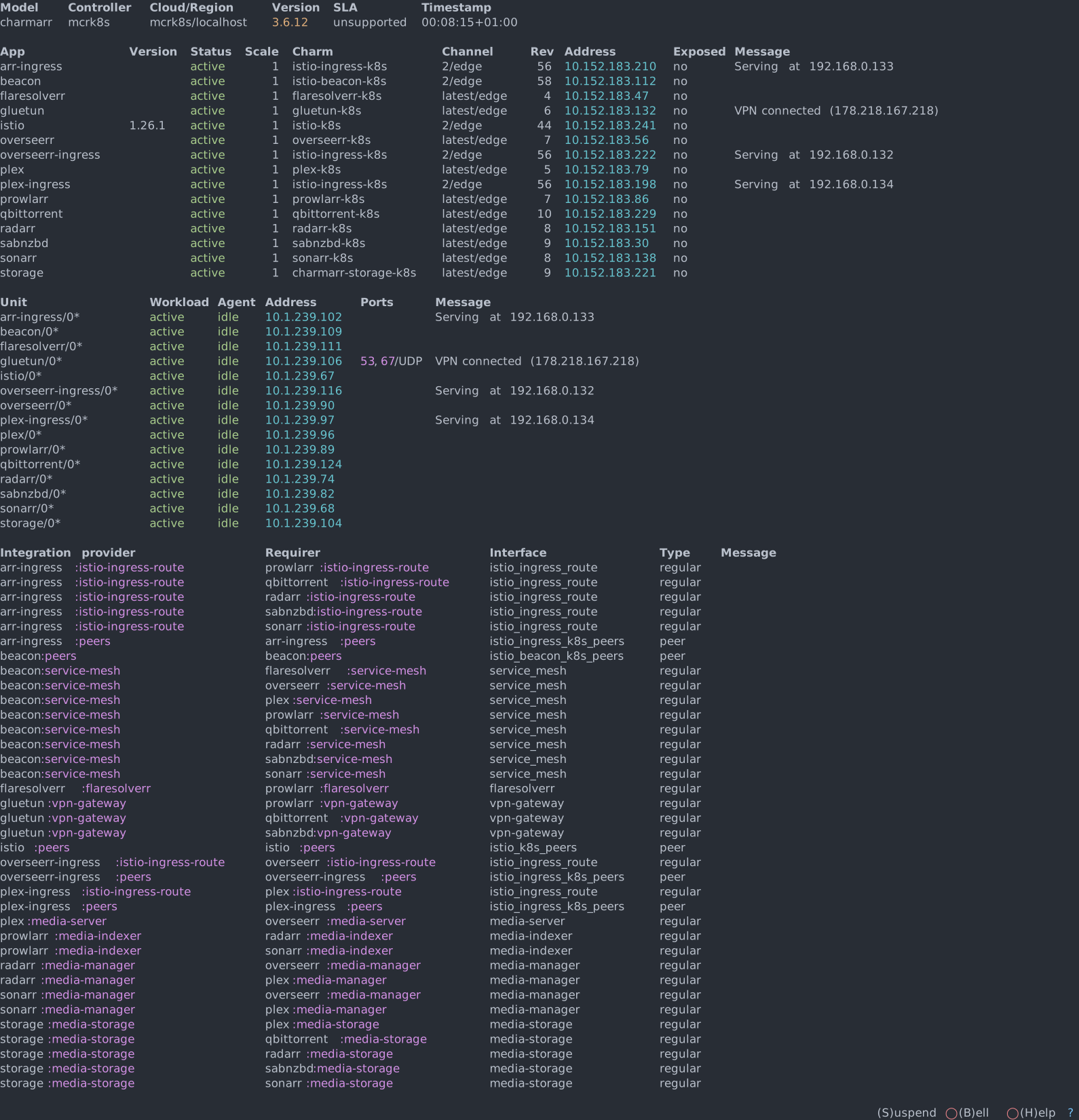
Watch Charmarr deploy and wire the applications together. Once settled, you should see something like this:
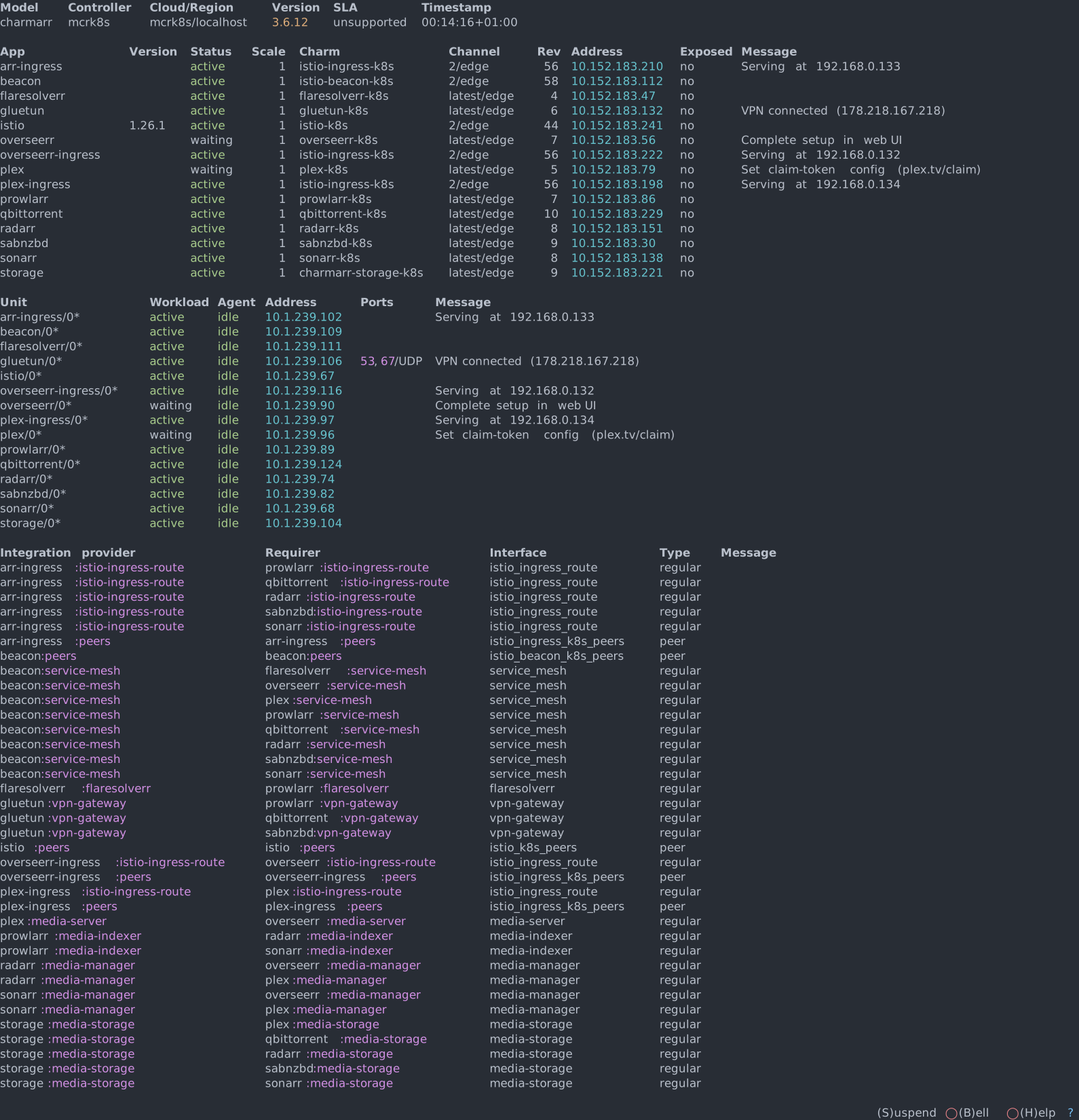
Plex and Seerr are in waiting status, waiting for user action. Everything else should be active.
1. Plex Setup
Get Claim Token
- Go to plex.tv/claim
- Copy the claim token
Note
The claim token is stored as plain text, but that's fine because it's only valid for 4 minutes.
Set Claim Token
Plex should transition to active status.
Warning
Wait 5-10 minutes before proceeding. Plex needs time to register the new server and propagate changes. If you're too fast, the server might not be registered yet.
Open Plex UI
Get the Plex ingress IP from the plex-ingress message in juju status:
Open in browser:
Complete Plex Setup
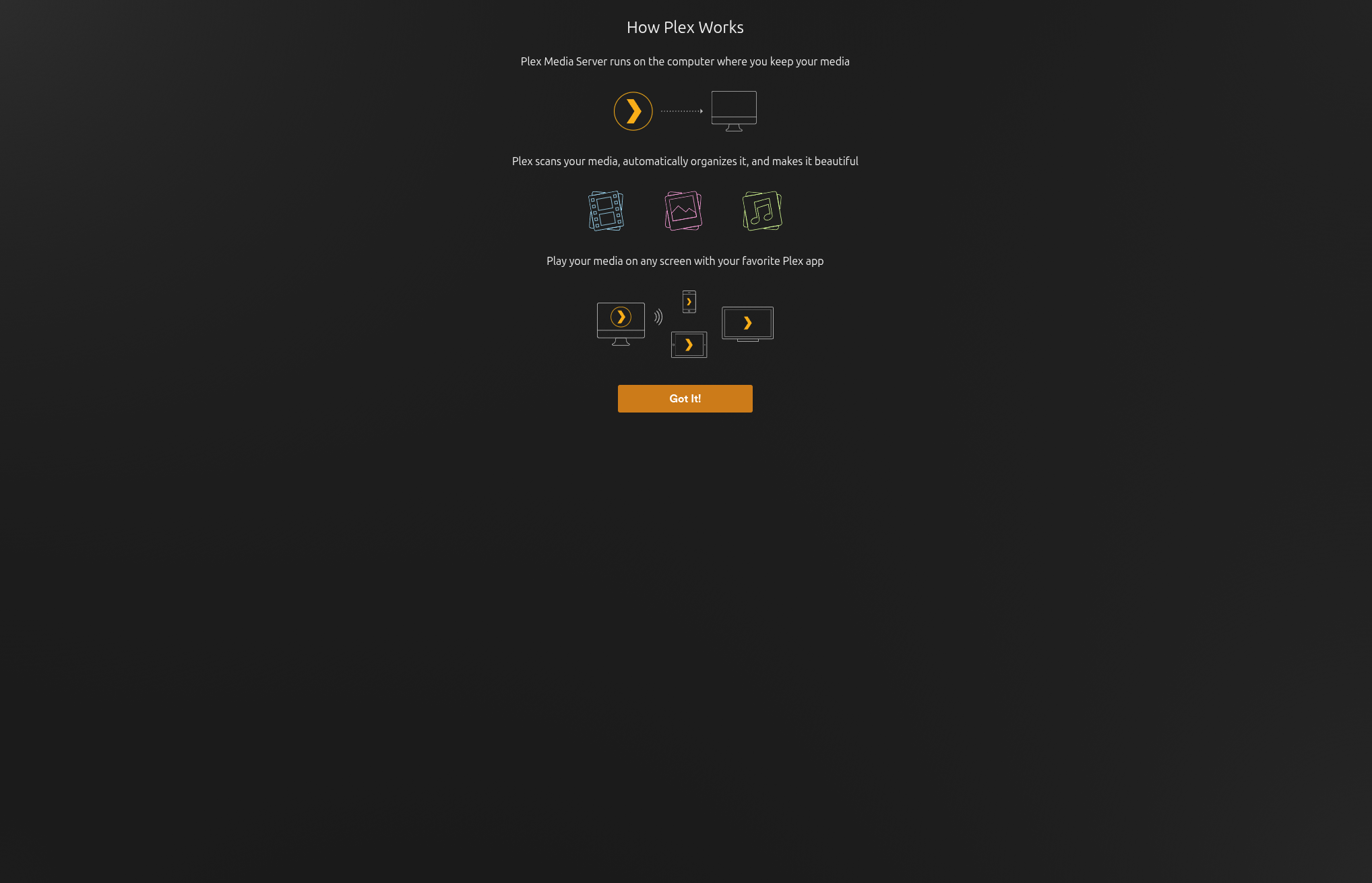
Step 1: Once the server is registered, you should see the welcome screen. Click Got It!
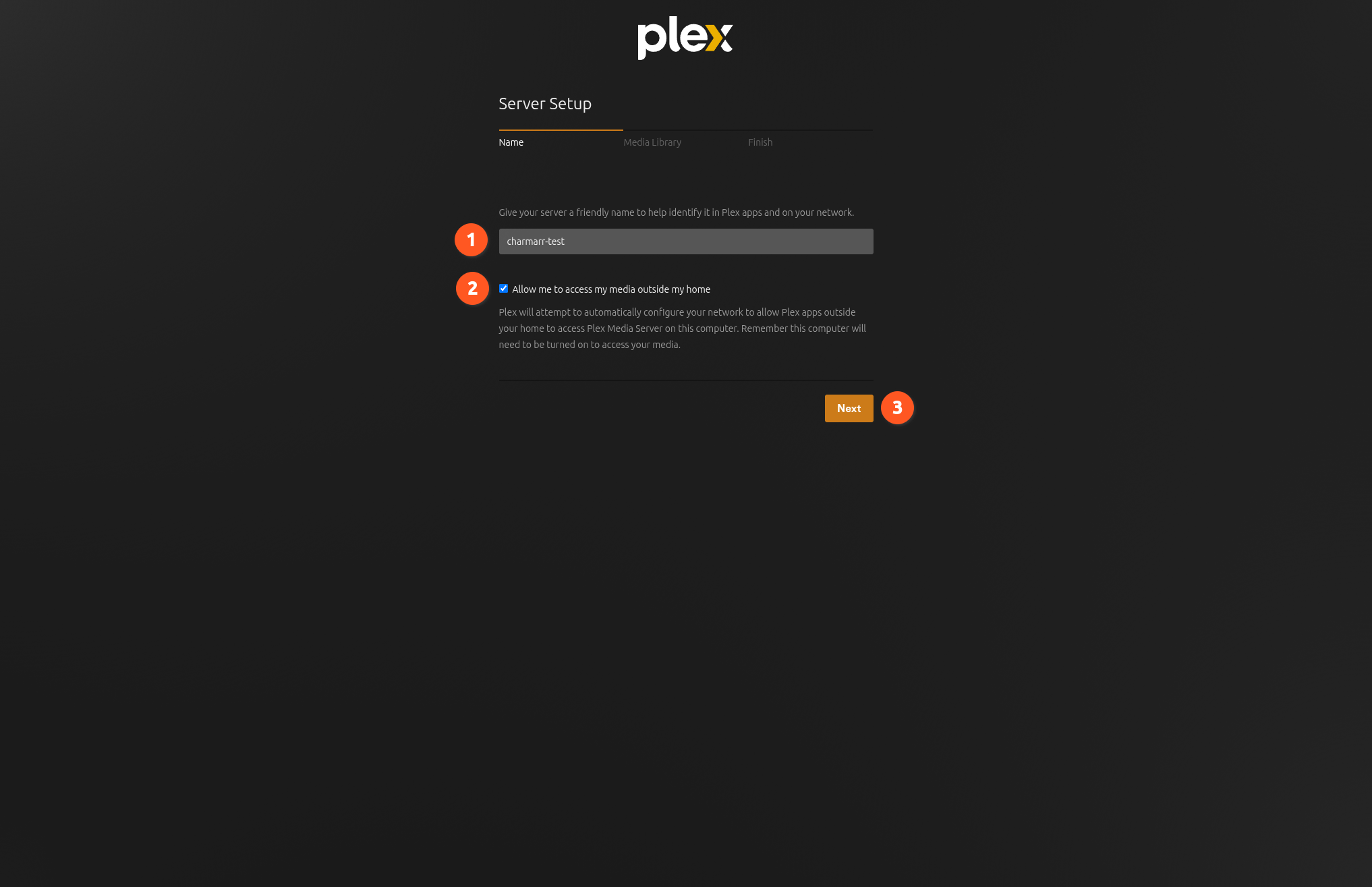
Step 2: Enter a name for your server. Enable remote play if you want (2). Click Next. If you get a Plex Pass popup, you can safely close it.
Step 3: Movie and TV libraries are already pre-configured by Charmarr (1, 2). The number of libraries here depends on your Radarr(s) and Sonarr(s). Click Next.
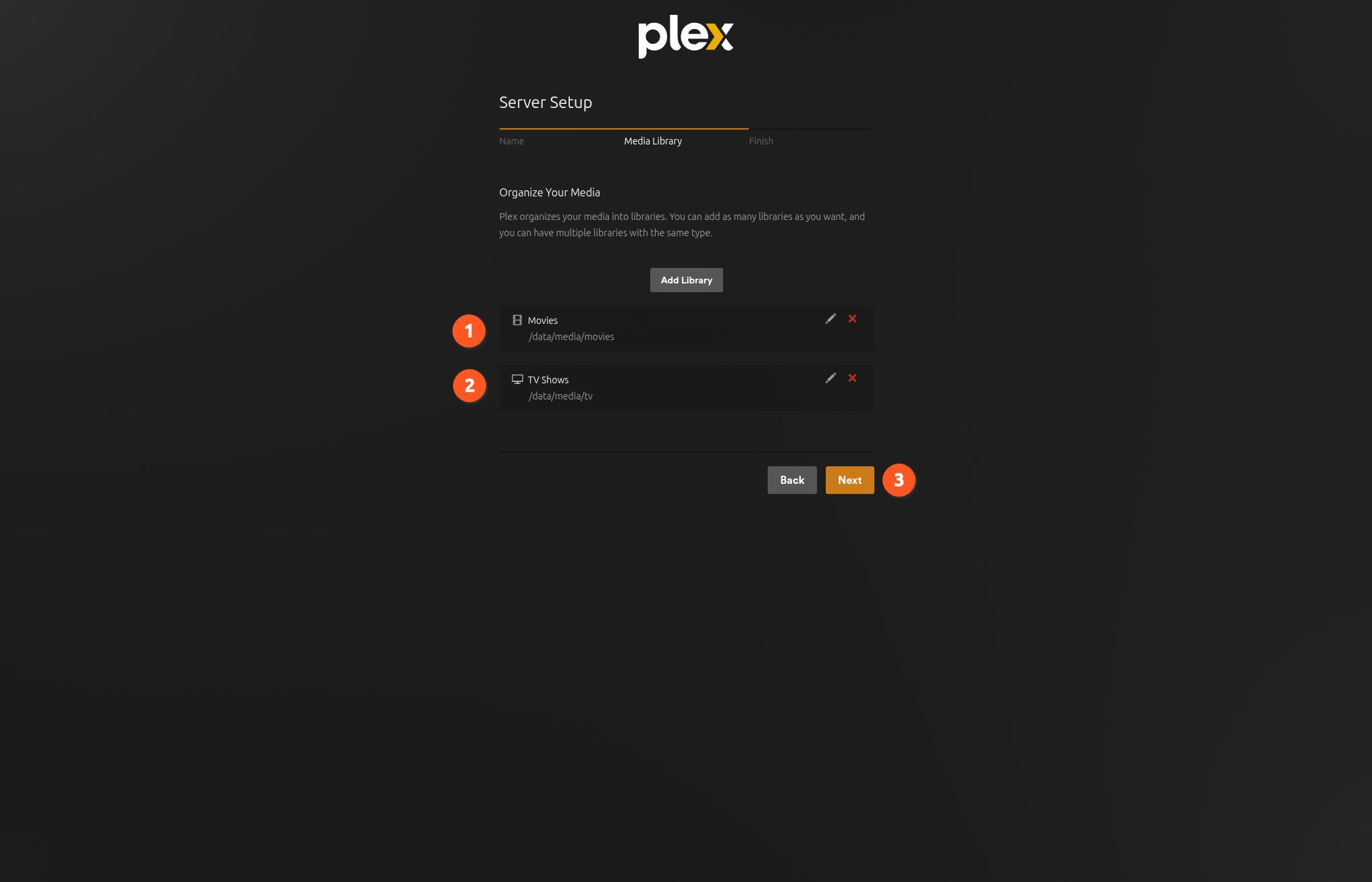
Curious how? See Plex Charm Lifecycle.
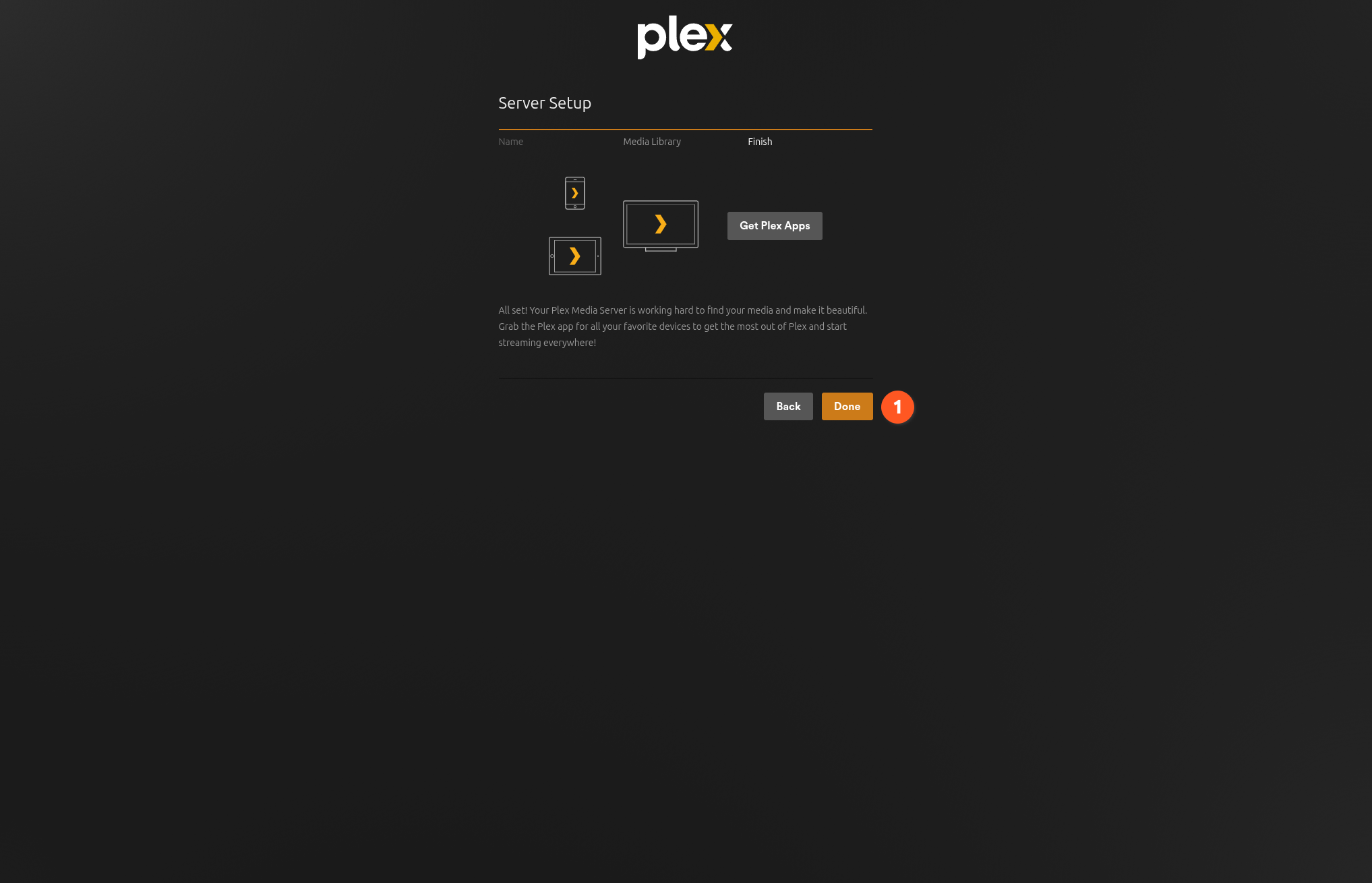
Step 4: Click Done.
Warning
Plex might not auto-scan libraries by default. See the Plex docs on library scanning to enable automatic refresh.
2. Seerr Setup
Note
Seerr supports Plex, Jellyfin, and Emby. Charmarr currently only automates Plex integration - this guide documents the Plex flow. Jellyfin / Emby work but you'll need to configure them manually.
Info
The overseerr-k8s charm is deprecated. If you deployed with
enable_overseerr = true and need the Overseerr setup steps, see the
track 1 docs. To
move an existing Overseerr deployment to Seerr, follow the
migration runbook.
Open Seerr UI
Get the Seerr ingress IP from the seerr-ingress message in juju status:
Open in browser:
Complete Seerr Setup
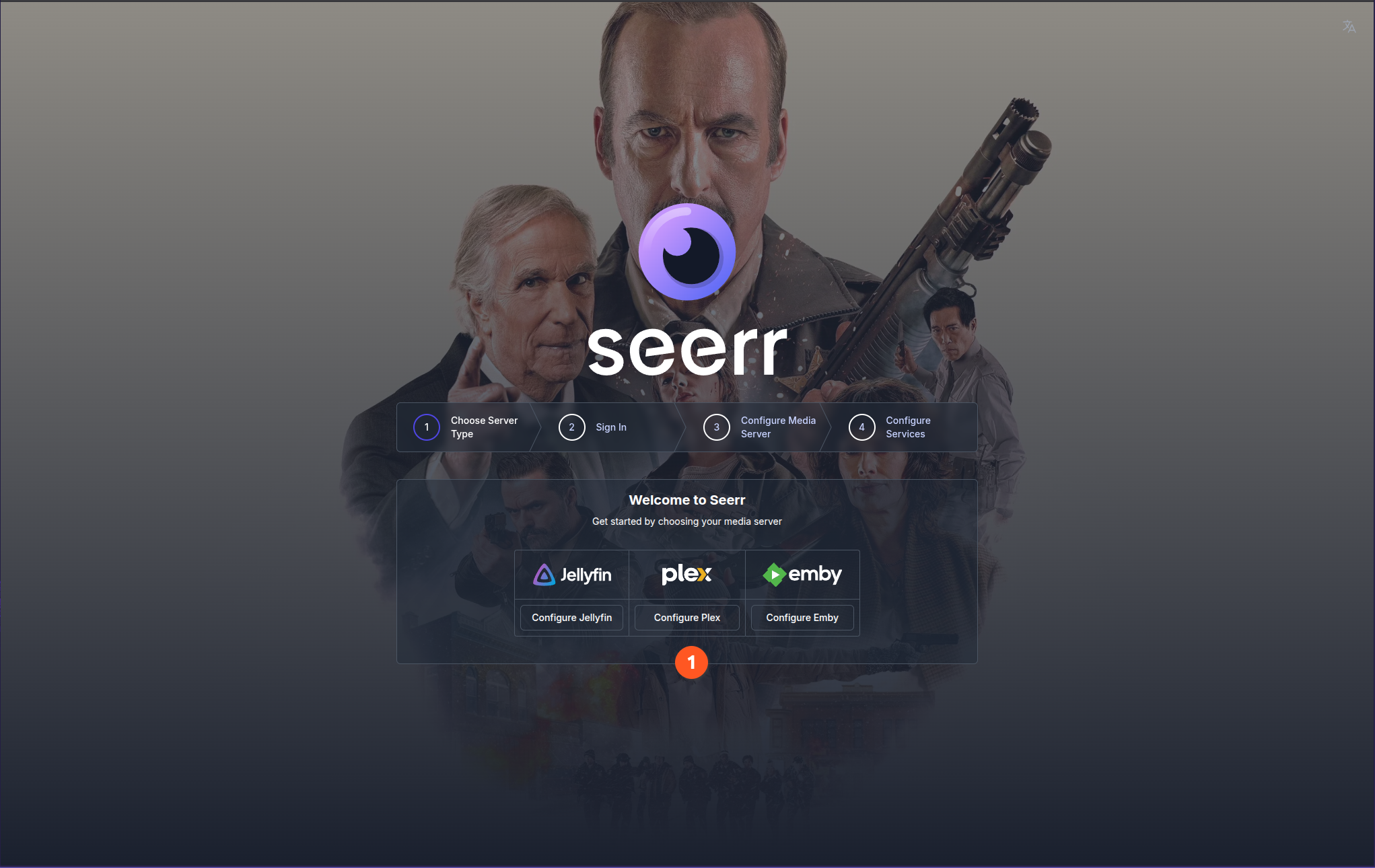
Step 1: Click Configure Plex to start the setup wizard.
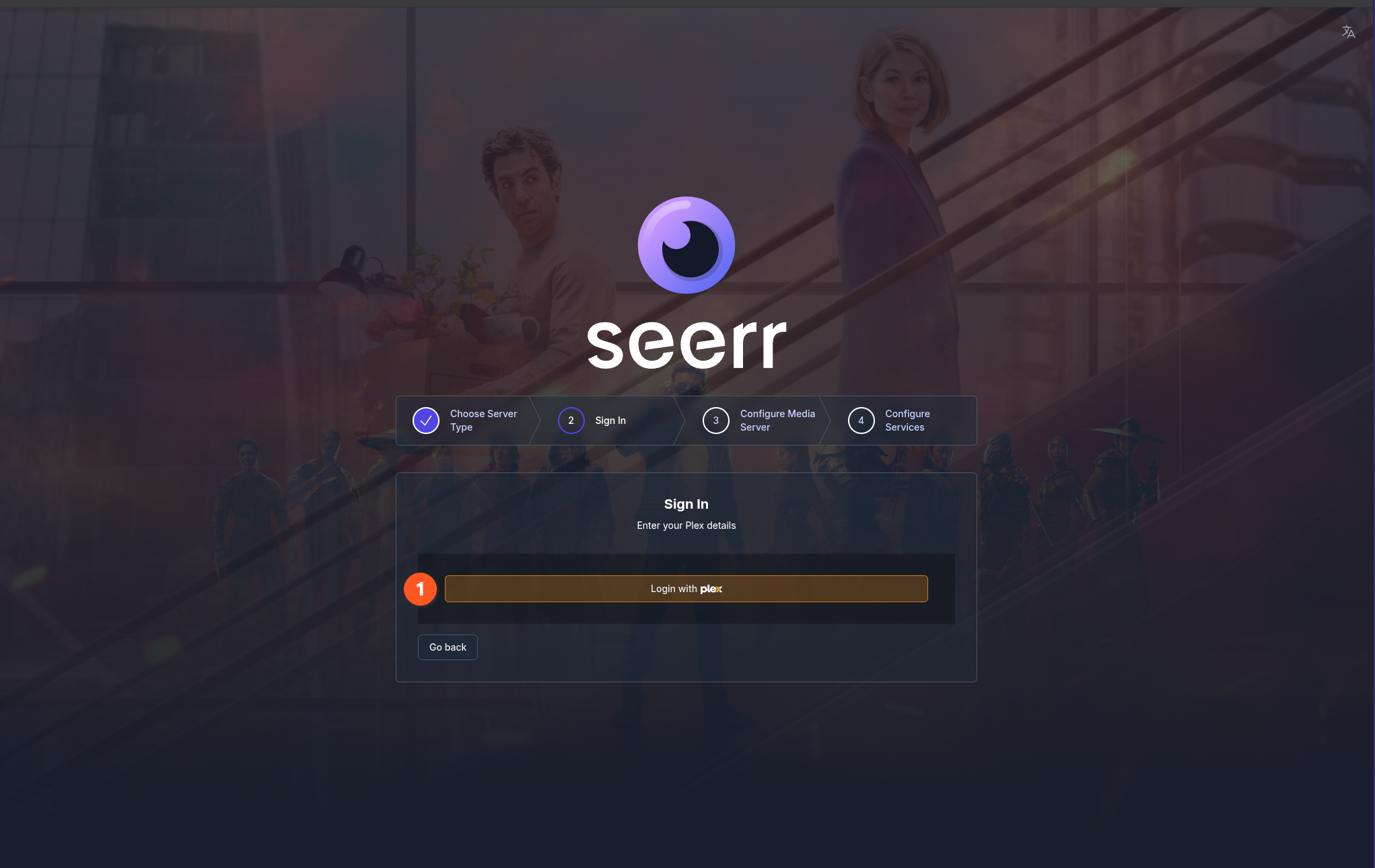
Step 2: Click Login with Plex and complete the OAuth flow.
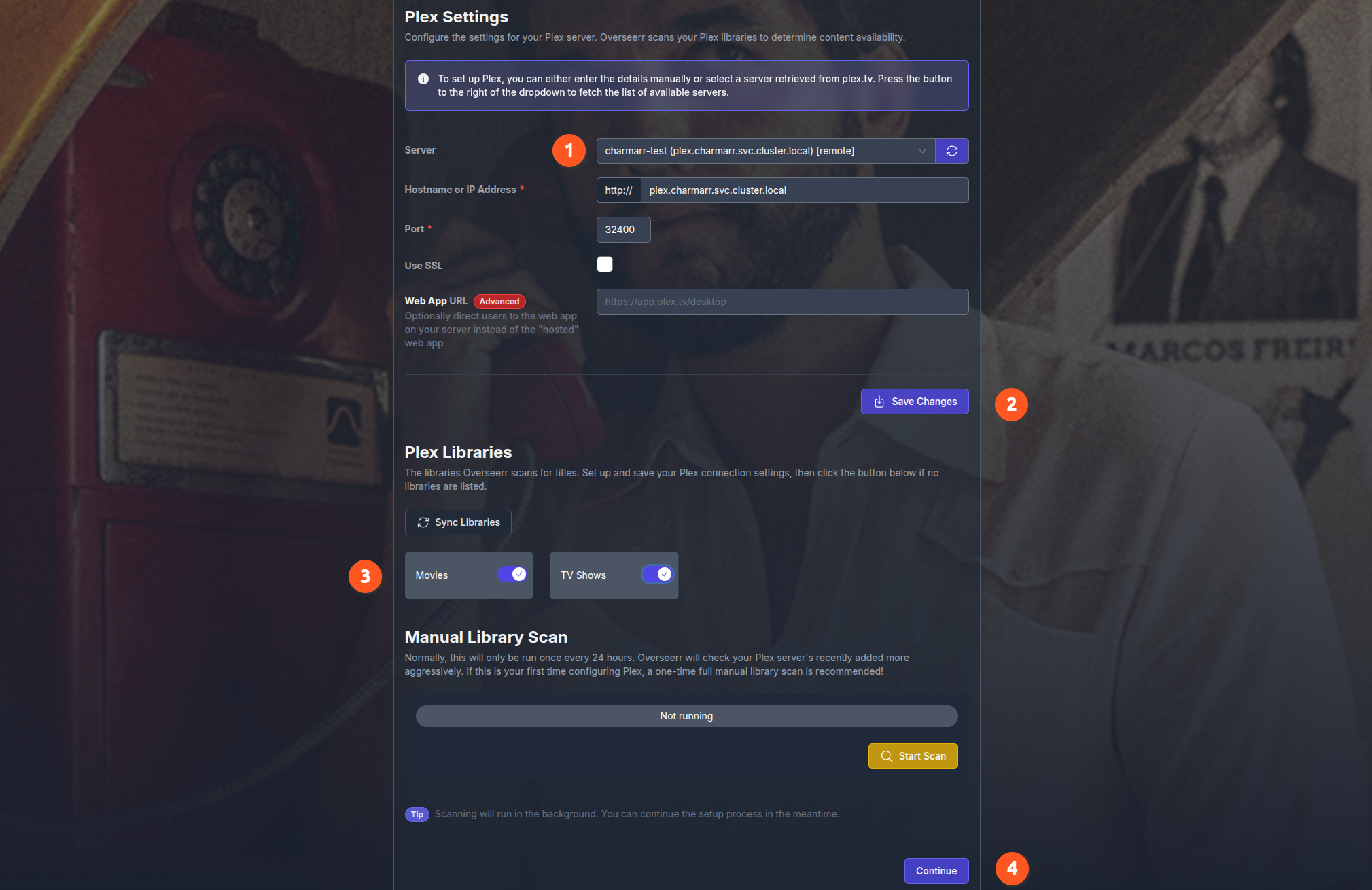
Step 3: Configure your Plex server:
- Use the server dropdown to pick the Plex server you set up earlier (auto-populated via plex.tv).
- Click Save Changes.
- Enable sync for Movies and TV Shows under Plex Libraries.
- Click Continue.
Warning
Leave Hostname or IP Address, Port, and Use SSL at their default values - they're populated by Plex auto-discovery.
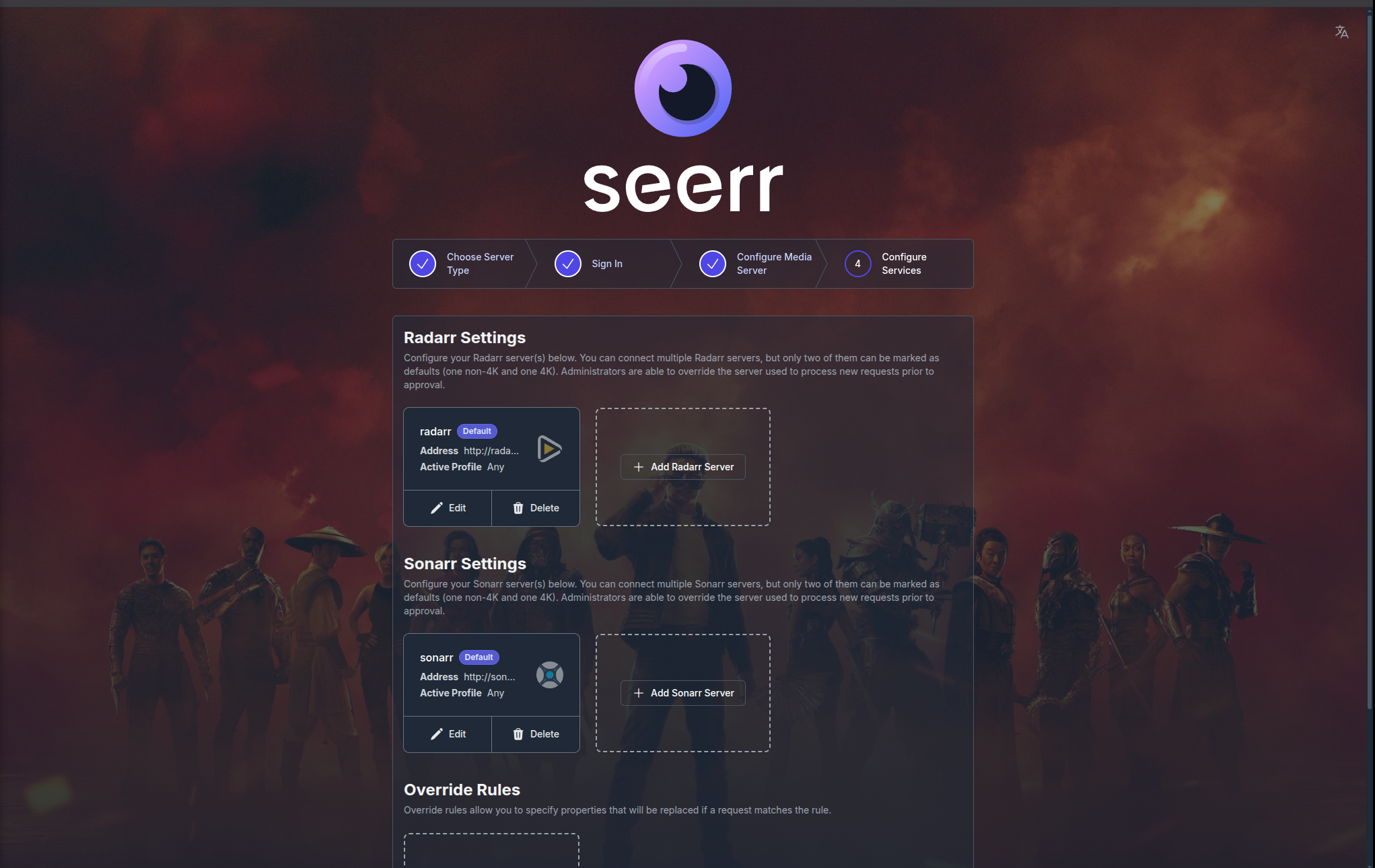
Step 4: Radarr and Sonarr settings may or may not be pre-filled, but it doesn't matter at this point. Do not add anything manually. Click Finish Setup.
3. Verify Everything
Wait 5 minutes, then check juju status. All apps should be active:
In Seerr UI, go to:
Radarr(s) and Sonarr(s) should automatically appear. Charmarr added them for you.
Curious how? See Seerr Charm Lifecycle.
4. Add Indexers
Get the arr ingress IP from juju status and open Prowlarr:
Add your indexers. The more the merrier.
Usenet Setup (Optional)
If using usenet indexers, configure SABnzbd:
Add a usenet server like Frugal Usenet or Eweka.
qBittorrent Access (Optional)
There's no mandatory need to access qBittorrent, but if you want to customize settings:
Credentials are pre-configured by Charmarr. To retrieve them:
# List all secrets
juju secrets
# ID                    Name     Owner         Rotation  Revision  Last updated
# d5lvqs7mp25c7ffo3tv0  -        qbittorrent   monthly          1  8 hours ago

# Reveal the qbittorrent credentials (use the ID from above)
juju show-secret --reveal d5lvqs7mp25c7ffo3tv0
Note
Charmarr rotates credentials periodically. If login fails, grab the latest credentials using the commands above.
Warning
The default account is Charmarr's account used for automation. Do not remove or change it.
Done
Charmarr will continue to monitor, reconcile, and heal your stack.
Request a movie in Seerr, go prepare popcorn and grab a beer, come back and open Plex. Your movie should be ready. Mileage may vary based on internet speeds - you might even have time to prepare dinner.
Note
This page covers Charmarr-specific configurations only. For general app configurations, which are not necessary for Charmarr as it does all the configurations for you, refer to each app's own documentation.